
Expense Manager2.6.3 - Google Play
You'll be able to see results in few seconds.
Publisher Description
top Personal finance managing app for android smartphones
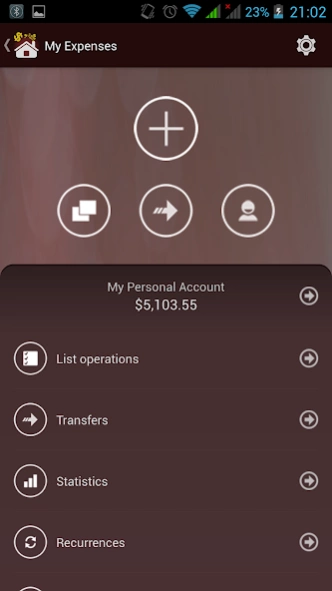
My Expenses is the top Personal finance managing app for android smartphones that allows you to record, track, manage and control daily expenses.
The Best Money Management app Expense Manager for Android makes monitoring of family expenses easy and allows effective Personal finance management on your smartphone;hence you save big chunks of money by controlling expenses in specific categories
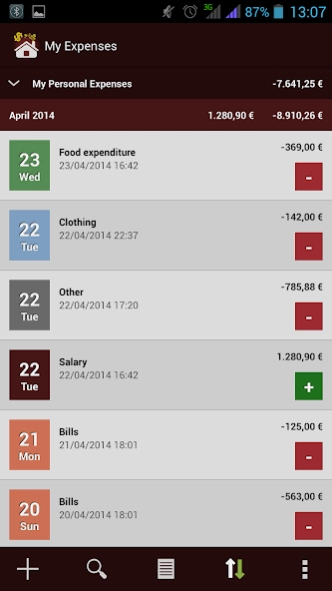
My Expenses provides an intuitive and simple interface. The app is easy to use and adding the income and expenses is fast and easy. You can add daily expenses and incomes in the Food Expenditure, Clothing, Salary, Bills, and Other categories. You can export the data in CSV Format which you can use on your Personal Computer, Laptop, Tablet or Ipad.
This free expenses tracker allows you to manage expenses and incomes with:
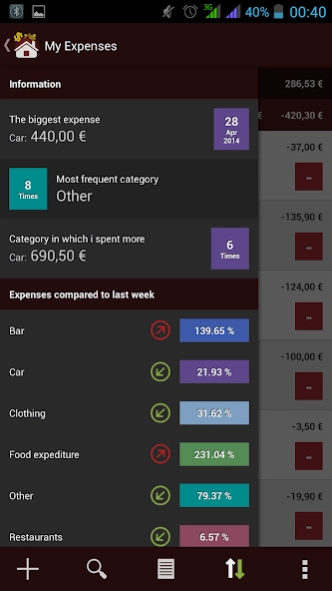
# Statistics of expenses divided by account, week and month with pie chart (Total expenses / Categories) and bar graph (Total expenses / Period)
# Summary of espenses / incomes for your account
# Search expenses and incomes by period, category, type of payment, place / shops or by amount (exact)
# Grouping of transactions per week, month, year, category or expenses / incomes
# Possibility to insert new expenses / incomes or select one of the 5 most frequent operations
# Possibility to choose currency for each account
# Add, edit and delete categories. Possibility to choose a color for each category in order to make operations list more intuitive
# Add, edit and delete types of payment
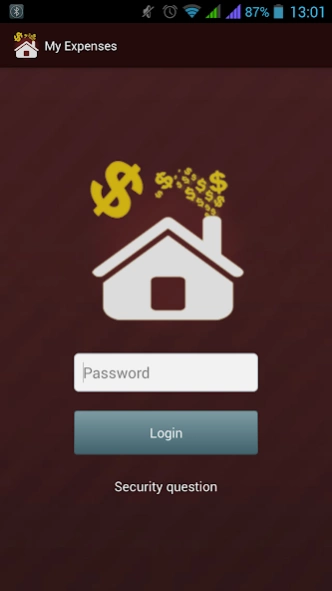
# Set a password to access the application in order to make your data confidential
# Create and restore backups of your data on the SD card
# Export data in CSV format to your SD card
What the full version has more?
# Recurrent operations with possibility to setup a reminder n hours / n days before auto insert
# Transfer money between accounts
# Statistics of expenses divided by account, week, month and
year
with pie chart (Total expenses / Categories) and bar graph (Total expenses / Period)
# Search expenses and incomes by period, category, type of payment, place / shops or by amount (exact, approximate, greater than or less than)
# Add, edit and delete accounts
# Possibility to set a weekly or monthly expenses threshold for each account. You will be notified when this threshold is exceeded
# Option to hide the "Payment" field from new operation page
# Option to hide the "Place / Shop" field from new operation page
# Add, edit and delete places / shops
# Set a security question (in case you forget login password)
# Create and restore backups of your data on the SD card or
Dropbox
# Export data to Excel or CSV format to your SD card
# Widget to quickly insert operations
Available languages:
# English (Default)
# Italian
# French
# Spanish
# Portuguese
# Russian
Please rate this application if you find it useful,
Please report any kind of problem / bug we will solve it as soon as possible
About Expense Manager
The company that develops Expense Manager is AppAzing.net. The latest version released by its developer is 2.6.3.
To install Expense Manager on your Android device, just click the green Continue To App button above to start the installation process. The app is listed on our website since 2023-11-07 and was downloaded 0 times. We have already checked if the download link is safe, however for your own protection we recommend that you scan the downloaded app with your antivirus. Your antivirus may detect the Expense Manager as malware as malware if the download link to com.epapps.myexpenses.free is broken.
How to install Expense Manager on your Android device:
- Click on the Continue To App button on our website. This will redirect you to Google Play.
- Once the Expense Manager is shown in the Google Play listing of your Android device, you can start its download and installation. Tap on the Install button located below the search bar and to the right of the app icon.
- A pop-up window with the permissions required by Expense Manager will be shown. Click on Accept to continue the process.
- Expense Manager will be downloaded onto your device, displaying a progress. Once the download completes, the installation will start and you'll get a notification after the installation is finished.
Program Details
System requirements
Download information
Pricing
Version History
version 2.6.3
posted on 2023-11-07
- Support for android 13
- Bugs fixing
version 2.6.0
posted on 2019-02-22
- Bugs fixing
Disclaimer
Official Google Play Link
We do not host Expense Manager on our servers. We did not scan it for viruses, adware, spyware or other type of malware. This app is hosted by Google and passed their terms and conditions to be listed there. We recommend caution when installing it.
The Google Play link for Expense Manager is provided to you by apps112.com without any warranties, representations or guarantees of any kind, so access it at your own risk.
If you have questions regarding this particular app contact the publisher directly. For questions about the functionalities of apps112.com contact us.
